


Protection Bypass for Automation
Protection Bypass for Automation is available on all plans
Protection Bypass for Automation enables you to run automated tests, CI/CD pipelines, and monitoring tools against your protected deployments without triggering authentication challenges or security blocks.
When you provide a valid bypass token, Vercel allows your request to access the deployment without authentication. The bypass applies to both Deployment Protection and certain security checks.
Your automation bypass token will skip:
- Deployment protection: Password Protection, Vercel Authentication, and Trusted IPs checks.
- System mitigations: The bypass allows requests that the Vercel Firewall normally blocks
- Bot protection: Your requests won't trigger Bot protection challenges
Your automation bypass token cannot override:
- Active DDoS mitigations: If attackers target a deployment and Vercel blocks an IP address, subnet, or pattern, those blocks remain in effect even with a valid bypass token
- Rate limits during attacks: Rate limiting applied during detected attacks will still apply
- Security challenges during attacks: Challenge requirements triggered by attack patterns cannot be bypassed
This design lets you test protected deployments reliably while maintaining critical protections during real attacks.
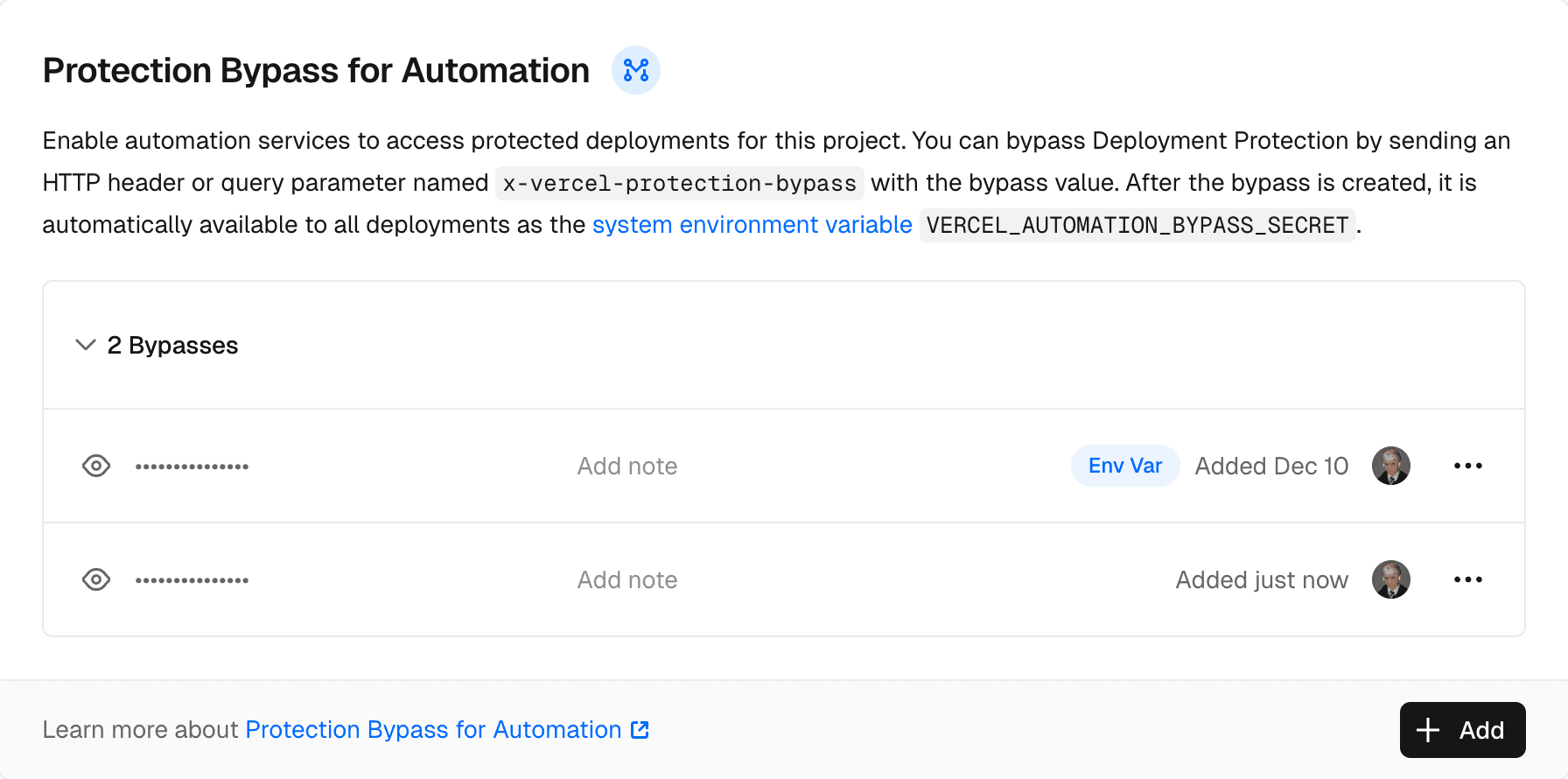
You can create multiple bypass secrets per project to manage access independently for different tools (for example, "CI/CD pipeline" or "Playwright tests"). Vercel automatically sets one secret as the VERCEL_AUTOMATION_BYPASS_SECRET system environment variable in your deployments. When you have multiple secrets, you can choose which one to use as the environment variable.
You can use each available secret to bypass Deployment Protection on all deployments in a project until the secret is revoked. When you build a deployment, Vercel sets the environment variable value, so regenerating or deleting the secret in the project settings will invalidate previous deployments. You will need to redeploy your app if you update the secret in order to use the new value.
- Team members with at least the member role
- Project members with the Project Administrator role
To use Protection Bypass for Automation, you can authenticate using either an HTTP header or a query parameter named x-vercel-protection-bypass with the value of the generated secret for the project.
Using a header is the recommended approach for most automation tools:
For tools that cannot set custom headers (such as webhook URL verification for third-party services like Slack, Stripe, or other integrations), append the bypass secret as a query parameter to your URL:
https://your-deployment.vercel.app/api/webhook?x-vercel-protection-bypass=your-generated-secretFor security, use an environment variable to store the bypass secret rather than hardcoding it in your webhook URL configuration. Many third-party services support environment variable substitution in webhook URLs.
This is particularly useful for:
- Slack bot verification: When Slack needs to verify your webhook URL during app configuration
- Third-party webhooks: Services that send POST requests to your endpoints but don't support custom headers
- URL-based integrations: Any service that only accepts a URL without header configuration
To bypass authorization on follow-up requests (e.g. for in-browser testing) you can set an additional header or query parameter named x-vercel-set-bypass-cookie with the value true.
This will set the authorization bypass as a cookie using a redirect with a Set-Cookie header.
If you are accessing the deployment through a non-direct way (e.g. in an iframe) then you may need to further configure x-vercel-set-bypass-cookie by setting the value to samesitenone.
This will set SameSite to None on the Set-Cookie header, by default SameSite is set to Lax.
const config: PlaywrightTestConfig = {
  use: {
    extraHTTPHeaders: {
      'x-vercel-protection-bypass': process.env.VERCEL_AUTOMATION_BYPASS_SECRET,
      'x-vercel-set-bypass-cookie': true | 'samesitenone' (optional)
    }
  }
}When configuring a Slack bot, Slack needs to verify your webhook URL. Since Slack's verification request cannot include custom headers, use the query parameter method:
{
  "settings": {
    "event_subscriptions": {
      "request_url": "https://your-app.vercel.app/api/slack/events?x-vercel-protection-bypass=your-generated-secret"
    },
    "interactivity": {
      "request_url": "https://your-app.vercel.app/api/slack/interactions?x-vercel-protection-bypass=your-generated-secret"
    }
  }
}
Slack will keep sending requests to the configured URL; since the bypass secret is part of the URL, it will be included on every request.
For any third-party service that sends webhooks (Stripe, GitHub, etc.), append the bypass secret to your webhook URL:
# Stripe webhook URL
https://your-app.vercel.app/api/stripe-webhook?x-vercel-protection-bypass=your-generated-secret

# GitHub webhook URL
https://your-app.vercel.app/api/github-webhook?x-vercel-protection-bypass=your-generated-secretWas this helpful?